
Get quick answers to your questions
Get answers to your questions about our awesome app! Learn more and explore its features now.
How do I reset my stats?
A: Go to Settings > Danger Zone > Reset All Stats. This will erase all your progress and session data.
Q: Can I use the app without creating an account?
A: No, you cannot use SMOVAPP in guest mode. Some features like syncing across devices require signing up.
Q: How do I change between smoking and vaping mode?
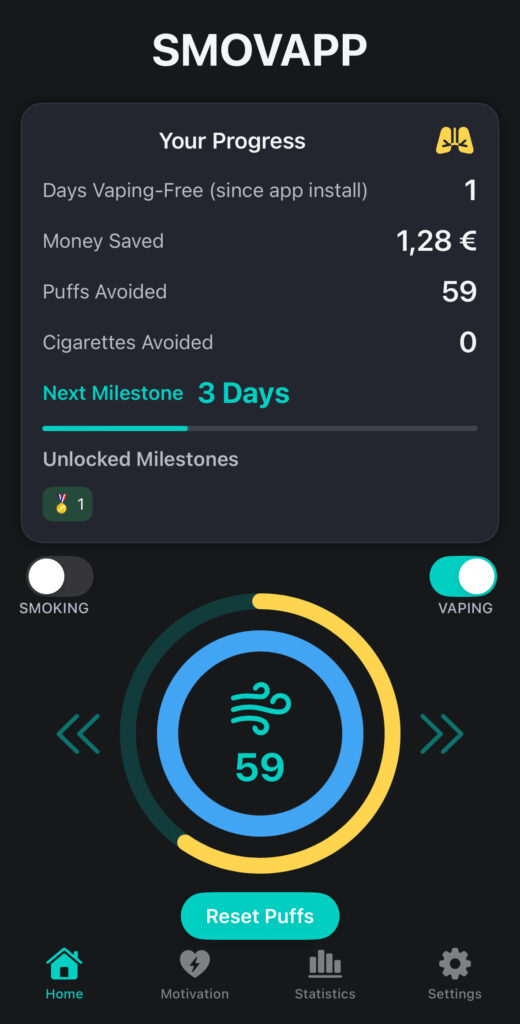
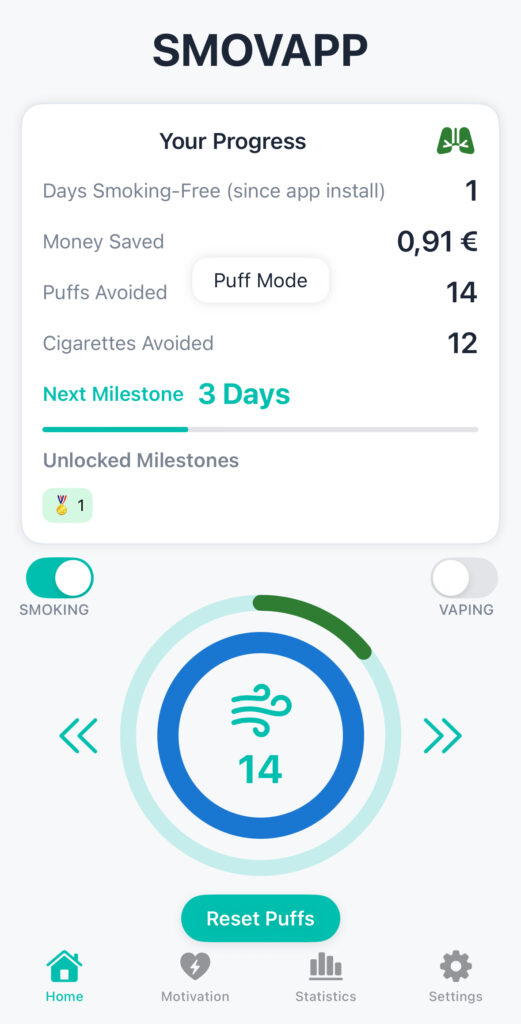
A: Simply tap the toggle switch at the bottom of the Home screen to switch between Smoking and Vaping modes.
Q: Is my data private?
A: Absolutely. Your data is stored securely and never shared with third parties. Read our full privacy policy in Settings > Support & Legal.
How do I delete my account?
A: Go to Settings > Profile & Account > Delete Account. This permanently removes all your data from our servers.
How can I contact support?
A: Reach out anytime via Settings > Support & Legal > Contact Us. We’re here to help!
Q: Is there a community I can join?
A: Yes! Join our Discord or follow us on social media to connect with others on the same journey.
What is the difference between puff tracking and cigarette tracking?
A: Puff tracking counts each vape puff, while cigarette tracking logs full cigarettes. You can switch between modes in the Home screen.
Q: Can I export or backup my data?
A: Not yet, but we’re working on a feature to let you export your progress and stats securely.
Q: What happens if I uninstall the app?
A: If you’re logged in, your data is safely stored in the cloud. If you uninstall the app your data will still be available in the cloud.
Q: Is SMOVAPP free?
A: You can try the app for free for 3 days. Some features may require a premium subscription for full access.
Q: What happens if my subscription expires?
A: You will lose access to premium features, but your data will remain saved. You can resubscribe anytime.
Q: How does SMOVAPP help me stay motivated?
A: Through daily stats, visual progress, money saved, health benefits, and motivational reminders.
Q: Can I set a quit date or goal?
A: Yes, go to Settings > Goals & Milestones to set your quit date and track progress toward it.
Q: How do I manage reminders or notifications?
A: Go to Settings > Notifications to customize or disable reminders based on your preferences.
Q: I’m not receiving notifications. What should I do?
A: Make sure notifications are enabled in your phone settings for SMOVAPP and that Do Not Disturb is turned off.
Still have questions?
Write us - contact our team for more info about our app's features and pricing.